

Settings: RDM
The RDM tab of User settings controls how KLSTR.ctrl discovers and polls the RDM devices behind your Art-Net nodes: the KLSTR.nano modules and every other RDM fixture. None of these settings affect KLSTR.one devices, which talk to KLSTR.ctrl over their own protocol. Open the tab with KLSTR › User Settings (press Cmd , on macOS, Ctrl ShiftU on Windows) and click RDM. How the window works is explained in Settings: View. This tab has no advanced settings.
The defaults suit most rigs. Change them when RDM data is missing or slow, usually on a long line with many fixtures, or when KLSTR support asks you to.
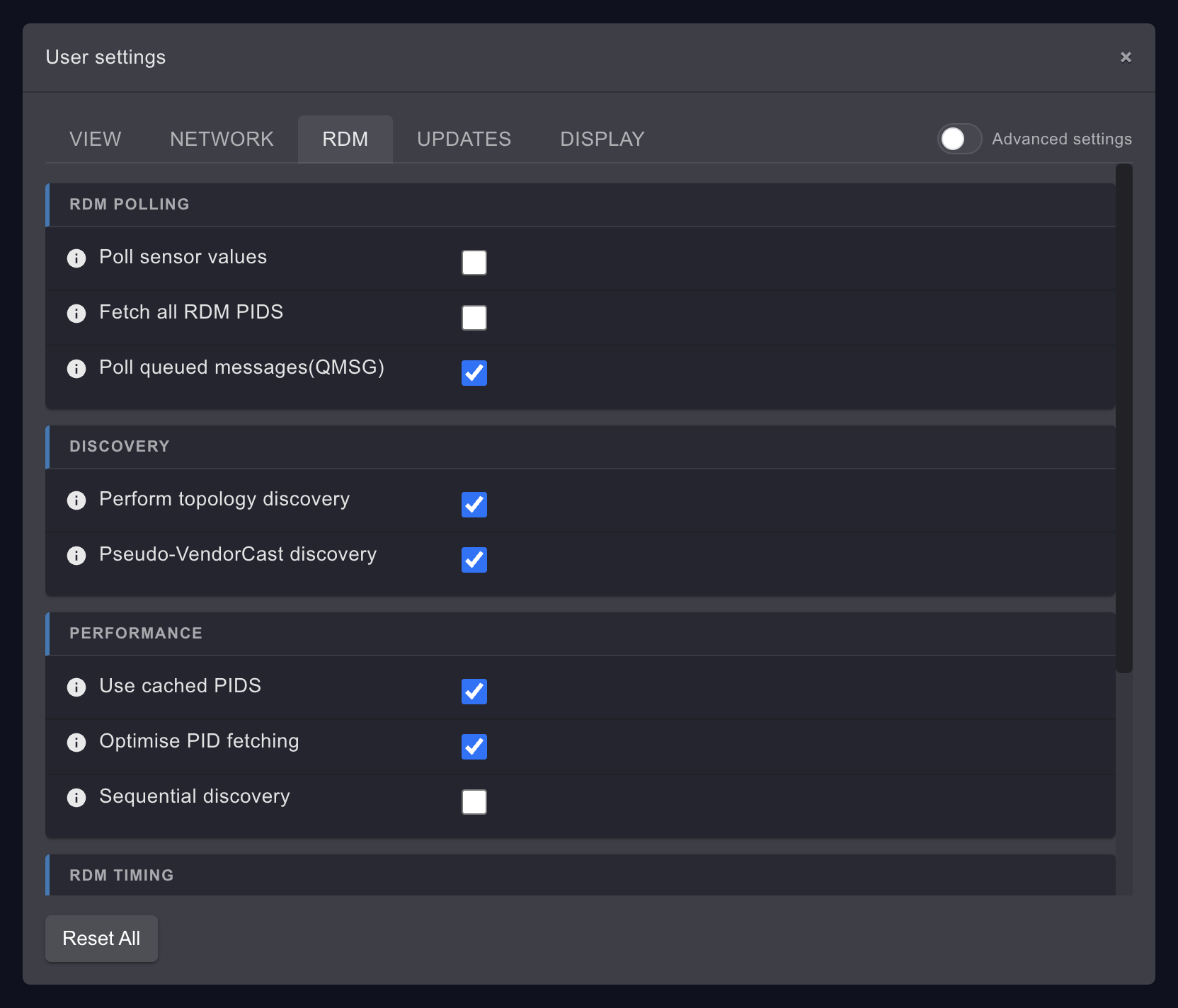
RDM POLLING
| Setting | What it does | Default | When to change it |
|---|---|---|---|
| Poll sensor values | Reads the sensor values of every RDM fixture during discovery, and then again every Poll sensor freqency (s) seconds | Off | Switch it on when you want to see RDM sensor values in the Monitoring tab and in Advanced Sensors. KLSTR.one sensors don't need it. See Monitor sensors |
| Fetch all RDM PIDS | During discovery, also reads every manufacturer-specific parameter (PID) a device reports, and the default slot values. Off, KLSTR.ctrl reads the standard parameters plus the few KLSTR.nano parameters it needs, such as Fixture ID and positions | Off | Switch it on when you need a manufacturer-specific parameter in the Device Configuration window or in a custom template. Discovery takes longer |
| Poll queued messages(QMSG) | Asks every RDM device for its queued messages every QMSG poll frequency (s) seconds. This is also how KLSTR.ctrl notices that an RDM device went offline or changed a value on its own | On | Leave it on. Switched off, devices that disappear stay shown as online until the next RDM discovery, and factory activation of KLSTR.nano modules is not possible |
DISCOVERY
| Setting | What it does | Default | When to change it |
|---|---|---|---|
| Perform topology discovery | Before the standard RDM discovery on a port, sends a command to all KLSTR.nano modules on it so they report which fixture is connected behind which nano, and in what order along the line. That is how the Device Topology draws the DMX line fixture by fixture. Off, KLSTR.ctrl runs a standard RDM discovery only and lists the devices on each port without that order | On | Leave it on when your rig has KLSTR.nano modules. Switch it off only on lines without any KLSTR.nano if KLSTR support suggests it |
| Pseudo-VendorCast discovery | Chooses how that command is addressed: on, to a pseudo vendorcast address, off, to the normal KLSTR.nano vendorcast address (the RDM broadcast to all devices of one manufacturer) | On | Only on advice from KLSTR support |
PERFORMANCE
| Setting | What it does | Default | When to change it |
|---|---|---|---|
| Use cached PIDS | Reuses the descriptions a fixture model reports (for example its DMX personalities, slots and sensor definitions) for every other fixture of the same model and software version, instead of asking each one again | On | Switch it off when a fixture shows personality or sensor descriptions that don't match the fixture, and run discovery again |
| Optimise PID fetching | Skips parameters that were already read for the same device in the same discovery run | On | Leave it on. Switch it off only on advice from KLSTR support |
| Sequential discovery | Reads the RDM data of the fixtures on a line one request at a time, instead of several fixtures in parallel | Off | Switch it on when some fixtures miss their DMX mode list or other data after discovery, especially behind proxies or on long lines with many identical fixtures: parallel requests can collide there. Discovery gets slower. See RDM data or sensors are missing |
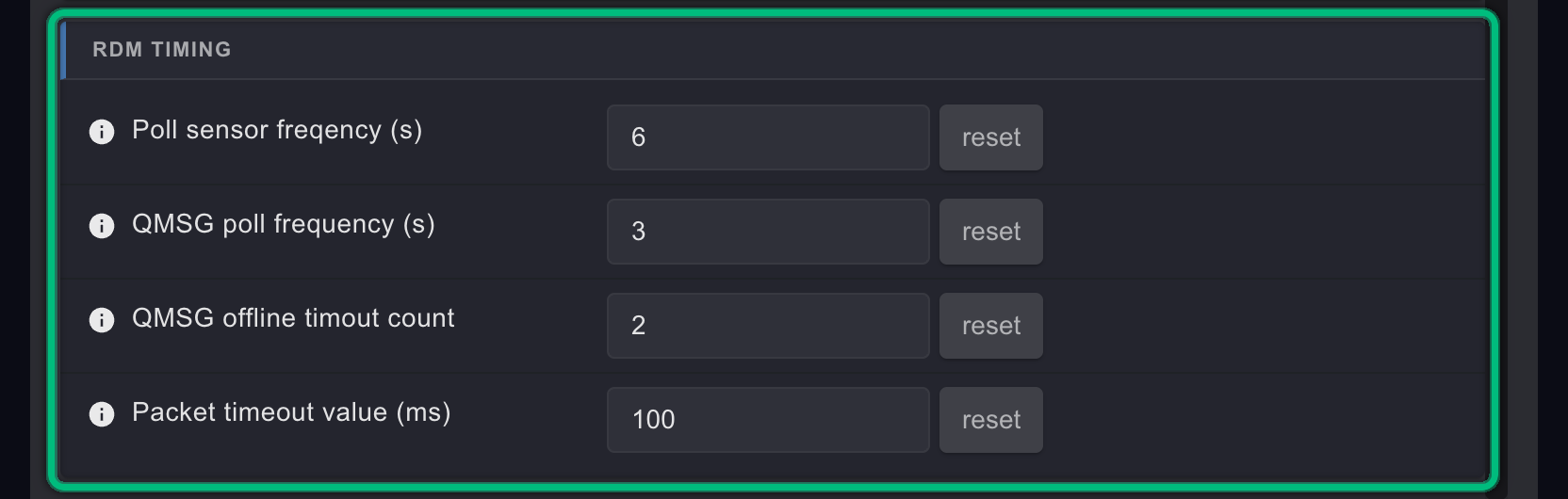
RDM TIMING
| Setting | What it does | Default | When to change it |
|---|---|---|---|
| Poll sensor freqency (s) | How often KLSTR.ctrl reads the sensor values, in seconds, when Poll sensor values is on | 6 | Lower it for faster sensor updates on a small rig, raise it on a big rig to leave more room for other RDM traffic |
| QMSG poll frequency (s) | How often KLSTR.ctrl asks each device for its queued messages, in seconds | 3 | Raise it on a big rig or a slow line to reduce RDM traffic. Offline devices are then noticed later |
| QMSG offline timout count | How many queued-message requests in a row may go unanswered before KLSTR.ctrl shows the device as offline | 2 | Raise it when fixtures on a noisy or busy line flicker between online and offline |
| Packet timeout value (ms) | How long KLSTR.ctrl waits for the answer to an RDM request, in milliseconds | 100 | Raise it when nodes or proxies answer slowly and requests time out. The tooltip asks for a restart of KLSTR.ctrl after you change it |
The intervals are counted per Art-Net port in steps of about one second, so they are approximate.
Related
Written for KLSTR.ctrl 1.2.0 (a0df909) · Checked 1 Oct 2026
Settings: Network
Every setting on the NETWORK tab of User settings, for the Art-Net connection to your nodes, with defaults and when to change them.
Settings: Updates
Every setting on the UPDATES tab of User settings, for KLSTR.ctrl updates, firmware downloads and the firmware cache, with defaults and when to change them.